
Measure the cut before comparing prices
Choose the material for the project first. Then measure the full cut, including the margin required by your hooping method. The calculator checks whether a roll or sheet fits that rectangle and divides package cost by the number of usable cuts.
Example, not a hoop allowance: if the cut you measured is 10 in by 12 in, an 8 in roll cannot cover that rectangle in either orientation. A 12 in roll can, with the 10 in side across the width.
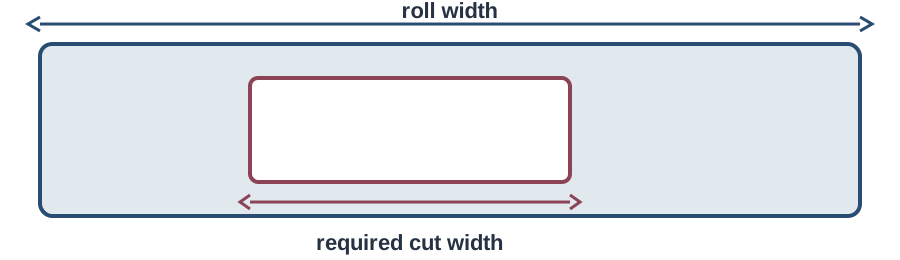
Measure the piece your hooping method needs
The field label gives the design area, not the stabilizer margin. Measure the full rectangle required by your hooping method, then enter it here. The calculator counts how many full cuts fit in a roll or precut pack and estimates material cost for the pieces used in one project.
A documented University of Illinois hooping method shows stabilizer extending beyond the hoop. That margin belongs to the documented method; it is not a universal measurement for every machine.
Compare cost per project
Use one unit throughout. Enter the cut you actually use and the number of backing pieces in one project. The calculator does not guess a machine-specific cut or stabilizer type.
Worksheet result
Enter dimensions to compare a roll.
- Full cut fits
- Not calculated
- Selected orientation
- Not calculated
- Usable yield
- Not calculated
- Leftover area
- Not calculated
- Cost per backing cut
- Not calculated
- Backing cost per project
- Not calculated
Worksheet ready.
Compare rolls by usable cuts
Roll size alone does not show which package costs less per project. Enter the required cut, roll dimensions, price, and pieces used. The calculator counts a simple grid of full rectangles, then divides price by yield and multiplies by the number of cuts for one project.
For a roll with width W and length L, and a required cut a × b, the direct-orientation estimate is:
floor(W ÷ a) × floor(L ÷ b) = full usable pieces
When rotation is explicitly permitted, the worksheet also checks floor(W ÷ b) × floor(L ÷ a) and keeps the larger whole-piece result.
This is a uniform grid. It does not solve mixed-orientation packing, account for flaws, or decide whether a chosen material provides the right support.
Work out usable pieces and offcuts
The yield is the number of whole cuts that fit; the remaining area is an offcut. Enter a package price and pieces used per project for a material-cost estimate. The calculator does not subtract flaws or find a mixed-orientation layout that could use smaller leftovers.
Illustrative math only
| Roll | Required cut | Orientation | Full pieces |
|---|---|---|---|
| 12 × 1,800 in | 8 × 10 in | Entered orientation | 180 |
| 12 × 1,800 in | 8 × 10 in | Rotation permitted | 225 |
| 7 × 1,800 in | 8 × 10 in | Either orientation | Does not fit |
For a quick fit check, verified options include 8 in and 12 in rolls, a 15 in roll, and 10 × 12 in precut sheets. These are listed product dimensions, not cut recommendations. Compare the width with the rectangle your method requires, then enter exact package dimensions and price. See stabilizer type picks before choosing a package; for machine-specific starting notes, see starter supplies.
Example: compare the package length
For a 7 × 9 in cut kept in the same orientation, a 12 in × 11 yd roll supplies about 44 full cuts and a 12 in × 50 yd roll supplies about 200. This is illustrative math, not a universal cut size. Rotation, directional material, and waste can change the yield, so use the worksheet with your own measured rectangle.
Decide whether precut sheets are worth the difference
Compare precut sheets with a roll of the same stabilizer type. Enter sheet dimensions, pack quantity, pack price, and the pieces used for one project. The calculator counts full cuts per sheet and estimates the pack's cost per project; it does not assign a value to the time saved.
Know what this worksheet cannot tell you
The calculator checks package fit and material quantity from the dimensions you enter. It cannot choose a universal cut for a 4 × 4 or 5 × 7 hoop, select suitable support, or predict stitch results. Follow the design, machine, and stabilizer instructions for the project.
Keep directional material in its required orientation, and verify the exact product dimensions before ordering.
Check how the measurement was taken
The University of Illinois hooping tutorial shows one documented way to measure the stabilizer margin. Any listed roll width is a product specification, not a universal compatibility rule. The arithmetic above is a stated calculation under the worksheet’s assumptions.